🔌 Desktop Power Strip — PC — Home Office — Tech Gifts — Clean Clamp-On Setup
🔌 Desktop Power Strip — PC — Home Office — Tech Gifts — Clean Clamp-On Setup
Couldn't load pickup availability

🔌 Desktop Power Strip — PC — Home Office — Tech Gifts — Clean Clamp-On Setup
Power Within Easy Reach
Your laptop is on the desk. Your tablet needs a charge. Your headphones are almost empty.
Bring everyday power to the edge of your workspace with a clamp-on desktop power strip.
The Desk Space, Reorganized
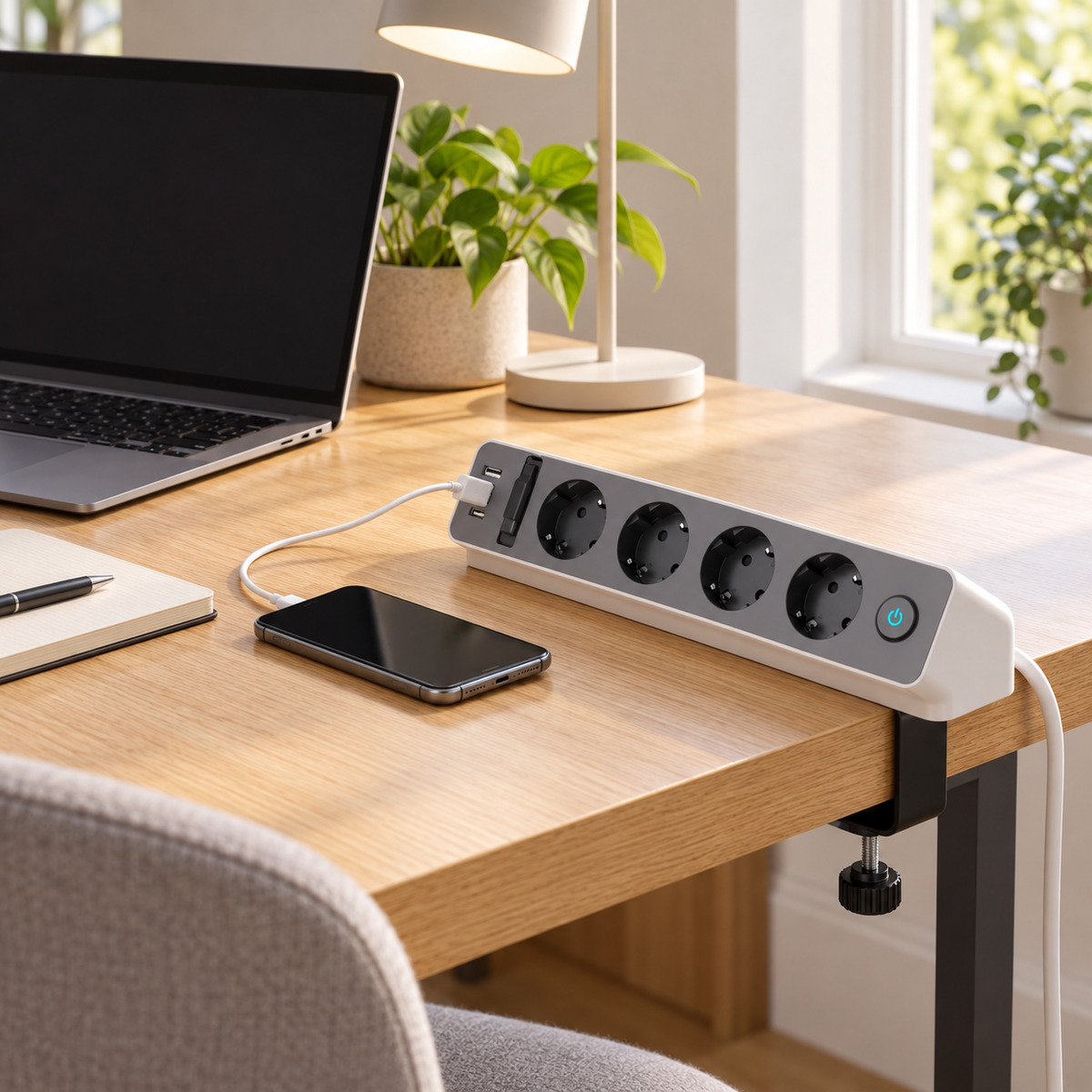
Four round outlets line the front panel for the devices you use throughout the day. Three compact USB ports sit at the side for smaller electronics and charging cables.
A single illuminated power button keeps the control point visible. The angled front places the connection area in view, so you can plug in without searching behind your monitor or under your desk.
The adjustable clamp mounts to the edge of a desk, table, or work surface. Tighten the lower knob to secure the unit in place.
Power & Charging:
Published specifications for similar desk-mounted power strips vary by market and model:
-
AC input and load: A comparable European desk-mounted model is rated 250 V AC, 16 A, with a stated maximum load of 3,680 W. A comparable North American edge-mounted model is rated 125 V AC, 10 A, 1,250 W. These ratings are alternatives for different products and electrical markets; they are not interchangeable specifications for the pictured unit.
-
USB output: One comparable four-outlet model has three USB-A ports rated at 3.4 A. Another edge-mounted model specifies 5 V DC, 4 A shared across its USB ports. The pictured unit’s USB port types, output voltage, current per port, and combined output still need confirmation.
-
Voltage conversion: The AC outlets on a conventional power strip supply power at the local mains voltage; the strip should not be treated as a voltage converter. Built-in USB charging circuitry provides its separately specified DC output. Check that every device plugged into an AC outlet supports the local mains voltage.
Where It Earns Its Place
Home Office
Power a laptop setup, desk lamp, phone charger, and tablet from one reachable point. Keep cables near the front edge instead of stretching them across the workspace.
Study Desk
Give each essential device a convenient connection while keeping notebooks and stationery clear of loose adapters.
Gaming Setup
Place power close to the monitor, speakers, controller charger, and other desk accessories. The clamp helps keep the strip aligned with the edge of the table.
Creative Workspace
Use it beside a sewing machine, craft table, or project bench when several small devices need power during a work session. Keep the combined load within the unit’s confirmed rating.
Shared Table
Mount it at a communal work surface so charging ports remain within reach without taking over the middle of the table.
Material & Construction
Comparable desktop power strips may use a molded plastic outer housing, a metal clamp, insulated wiring, and metal contacts. The pictured design combines a light outer shell, a dark front panel, a black clamp, a threaded tightening screw, and a blue-lit switch. Confirm the exact materials and cable construction for this model before listing them as product specifications.
A Useful Gift for a Better Workspace
Choose it for someone setting up a first home office, upgrading a gaming desk, or organizing a study corner.
It makes a practical housewarming gift, graduation present, back-to-school accessory, or holiday surprise for anyone surrounded by chargers and cables. Pair it with a desk mat, cable clips, a laptop stand, or a notebook for a workspace refresh.
Lauren Mitchell
“I mounted it to the back edge of my desk, and now my phone and tablet chargers are right where I need them. The surface feels much less crowded.”
Daniel Cooper
“I like having the outlets facing me instead of hidden under the table. The clamp keeps the power strip in one place while I plug things in.”
Rachel Evans
“I gave this to my brother for his new gaming setup. He liked the extra USB ports and the fact that it doesn’t take up space on the desk.”
Put Power Where You Work
Clamp it to the edge. Plug in what matters. Keep your surface clear.